AI music video generator · 9:16
Halloween AI music video, vertical 9:16
Upload a song and a photo you have the rights to. MusicMV writes a vertical 9:16 storyboard, lip-syncs the lead, and cuts to the beat. The case on this page is ¿Dulce o provocación?: candlelight, a witch hat, and a look that stays on camera.
You need the rights to the song and photo. Your photo helps keep the lead’s look consistent, though faces and outfits can still vary. Get permission before using someone else’s likeness.
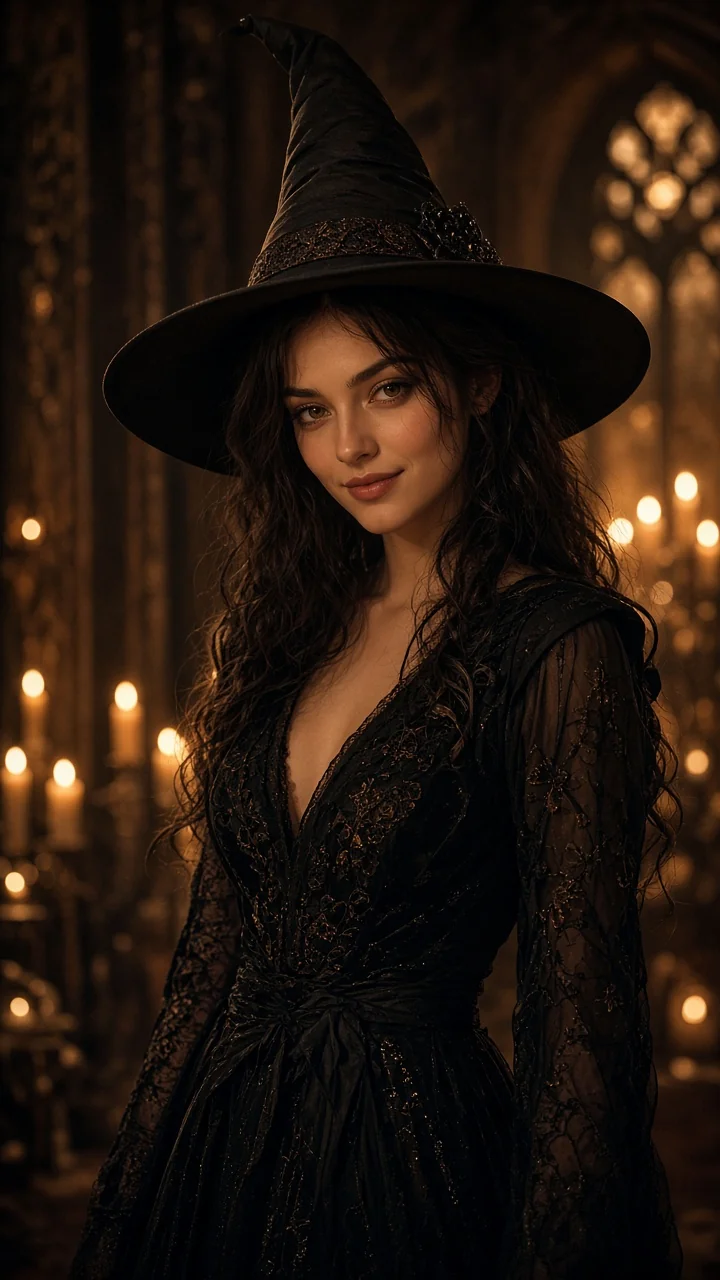 9:16
What you actually get
- Song
- 5 s – 6 min
- Format
- 9:16 · 16:9 · 1:1 · 4:3 · 3:4
- Resolution
- 768p · 1080p
- Credits
- 1 credit per second at 768p, 2 at 1080p
- Lip-sync
- Main character's singing and spoken shots. Other characters appear without lip-sync.
- Time
- Storyboard in about 3–5 minutes. A full song usually takes about 10 minutes, longer when the song is longer.
The case, in one vertical frame
Open on a close-up, then pull back as she walks toward the camera. She touches her hair, plays with her fingers, and straightens the witch hat, with confident eye contact. Warm candlelight, an elegant Halloween mood. After the music drops, the last line is a quiet whisper: yo… te provoco.
- 9:16 · TikTok / Reels / Shorts
- Lead lip-sync
- Locked to your photo
- Cut to the beat
What you get from a vertical cut
- 1
Native vertical 9:16
Framed for TikTok, Reels and YouTube Shorts before the first shot, rather than cropped from a wide frame.
- 2
Locked to your reference photo
Makeup, hair and costume stay with the artist photo you upload. Do not upload an unauthorized third-party likeness.
- 3
Hat, dress and hair move with the walk
The brim, skirt and hair follow the steps, so the playful gestures stay readable.
- 4
Candlelit Halloween
Warm candlelight and an elegant Halloween mood. Playful, not gory.
- 5
Spoken lines, lip-sync, on the beat
Pauses, a hum and a whisper sit on the mouth. Intro, verse and the quiet outro follow the song.
Same job, different tools
A workflow comparison, not a ranking. MusicMV's column matches the product. The other columns describe what those tools are for.
| Capability | MusicMV | Runway / Pika | CapCut | Kaiber |
|---|---|---|---|---|
| Upload a full song | Yes. MP3, WAV or M4A, from 5 seconds to 6 minutes. | A prompt or an image becomes a short clip. | You import footage and audio, then edit. | Audio in, stylized video out. Length limits are on their site. |
| Automatic beat sync | Yes. The director cuts the video to the song. | You line the clips up. | You place each cut on the timeline. | Motion can react to the audio. It is not this storyboard, then render. |
| Lead lip-sync | Yes, on the main character's singing and spoken shots. Other characters do not lip-sync yet. | Not a song-to-video director. | You match picture to sound by hand. | We don’t rank their models here—they change often. |
| Native 9:16 | Yes. Choose 9:16 before the storyboard, for TikTok, Reels and Shorts. | The aspect depends on the model. | You set the canvas, including 9:16. | Vertical export is one of their options. |
| Edit the storyboard, then render | Yes. Review every frame, redraw one shot, then render. | Change the prompt and generate the clip again. | Edit the timeline after you have clips. | Restyle and generate again. |
How it works
- 1
Upload the song and the photo
Use ¿Dulce o provocación? or any track you have the rights to, plus a clear front-facing photo. Set the format to 9:16.
- 2
Review the storyboard
The director follows the beat and the mood: close-up, full figure, walk, hat. Rewrite or redraw one frame, then render.
- 3
Render and post
Export an MP4 with the lead lip-synced and the cuts on the beat. Optional lyric captions can be burned in.
The shot-by-shot how-to is in this article
Who it's for
- Independent artists and bilingual creators who need a seasonal vertical
- TikTok, Reels and Shorts editors who need the same character from shot to shot
- Labels and managers pairing a single with a Halloween visual
- Brand teams who want candlelit Halloween, not a haunted-house filter
FAQ
Do I have to use this Spanish song?
No. ¿Dulce o provocación? is the case on this page. Any song you have the rights to can take the same path. Spoken tracks and a chorus clip fit a vertical especially well.
Will the person match my photo?
A photo or saved Character helps keep the lead’s look consistent, but faces and outfits can still vary. Use a clear photo you have permission to use, or create and save a Character under Characters, then choose that version on Create. Check the character’s appearance before saving and review each storyboard frame before rendering.
Can lip-sync follow Spanish pauses and a whisper?
Yes, on the lead’s singing and spoken shots. If a line pauses or drops to a whisper, keep that moment in close-up. Closer reads better. It is not a promise that every syllable lands.
Does it have to look scary?
No. This case is warm candlelight and a playful mood. You can also pick cinematic or dark fantasy, or write “warm candlelight, elegant Halloween” in the description.
How long until I can post it?
The storyboard usually takes about 3–5 minutes. A full song usually takes about 10 minutes to render, longer when the song is longer. A chorus or a short part uses fewer credits and fits a short video.
Make the vertical
One song, one photo, a Halloween AI music video you can post.
Start free