MusicMV vs Suno Visuals
Which should you use for your song? Make a clip straight from your Suno library, or turn an exported track into a full music video with a storyboard and cuts timed to the music.



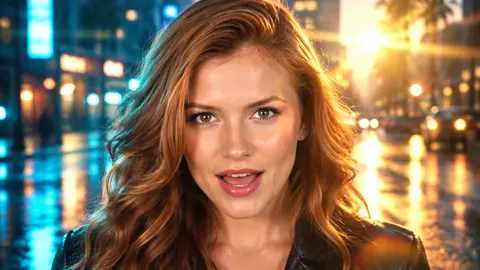

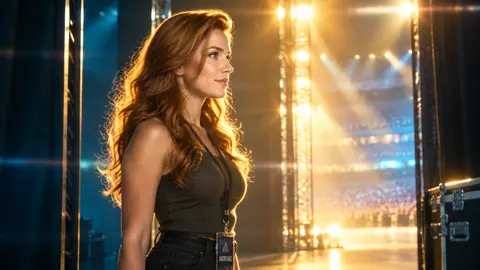


Which works better for your song?
Suno Visuals makes 5–15 second clips directly from a track in your library or uploaded audio. Its editor lets you extend and combine clips for longer sequences. MusicMV takes a song file and a character photo, plans scenes for the whole track (up to 6 minutes), and renders a single MP4 cut to the music.
Choose MusicMV for
- A complete performance or story video from a finished track
- An optional review of the full storyboard before rendering
- A credit estimate based on the audio length and resolution
Choose Suno Visuals for
- A quick clip straight from a song in your Suno library
- Shot-by-shot direction with references and start and end frames
- Cover art or lyrics with your choice of font, color and position
Watch a finished MusicMV example
Golden Hour Lights · 16:9 · 576p · 1:02
MusicMV's own demo. This comparison draws on public documentation and includes no side-by-side test.
- 1The singer starts on a rooftop before entering the arena
- 2Performance shots follow the vocals through the chorus
- 3The video returns to the rooftop for the outro
Suno Visuals vs MusicMV at a glance
Compare what you start with, how you assemble the video, and what you pay for.
| Feature | MusicMV | Suno Visuals |
|---|---|---|
| Start with | MP3, WAV or M4A, 5 s–6 min, plus a character photo | Pick a track from your Suno library or upload audio, then choose a section |
| Full-song workflow | Plan the song as one project and render a finished MP4 | Generate 5–15 second clips, then extend or combine them in the Visuals Editor |
| Before rendering | Review & Edit shows every storyboard frame. Auto goes straight to video | Direct each clip with a prompt, reference images and optional start and end frames |
| Lip sync | The lead sings in selected shots in Sing & Perform | Optional lip sync for singing or speech within a clip |
| Editing | Redraw a frame or regenerate a clip for 7 days after completion | Trim, split, rearrange or extend clips on a timeline and make changes with prompts |
| On-screen lyrics | Optional lyric captions in karaoke, clean or bold styles | Optional lyrics with adjustable font, color, style and placement |
| Billing | One-time packs from $9.90 at list price (240 credits) | Any user can buy Visual credit packs separately from Song credits. Platinum includes a monthly Visual allowance. |
Start with
MusicMV
MP3, WAV or M4A, 5 s–6 min, plus a character photoSuno Visuals
Pick a track from your Suno library or upload audio, then choose a sectionFull-song workflow
MusicMV
Plan the song as one project and render a finished MP4Suno Visuals
Generate 5–15 second clips, then extend or combine them in the Visuals EditorBefore rendering
MusicMV
Review & Edit shows every storyboard frame. Auto goes straight to videoSuno Visuals
Direct each clip with a prompt, reference images and optional start and end framesLip sync
MusicMV
The lead sings in selected shots in Sing & PerformSuno Visuals
Optional lip sync for singing or speech within a clipEditing
MusicMV
Redraw a frame or regenerate a clip for 7 days after completionSuno Visuals
Trim, split, rearrange or extend clips on a timeline and make changes with promptsOn-screen lyrics
MusicMV
Optional lyric captions in karaoke, clean or bold stylesSuno Visuals
Optional lyrics with adjustable font, color, style and placementBilling
MusicMV
One-time packs from $9.90 at list price (240 credits)Suno Visuals
Any user can buy Visual credit packs separately from Song credits. Platinum includes a monthly Visual allowance.Suno Visuals features and pricing checked against Suno's public documentation on November 18, 2026.
When MusicMV fits a full-song release
Use the exported track as the starting point. MusicMV uses it to plan scenes across verses, choruses and the outro, then times the cut to the music.
Revise one shot after rendering
Use Reframe to redraw a frame or Reclip to regenerate just that clip. You can also upload your own clip or switch to a saved take. Recutting the finished video is free.
 Take 1
 Take 2 in video
 Your clip
Review your storyboard
Check individual frames before rendering in Review & Edit. Auto renders straight through.
Choose how the lead performs
Sing & Perform mixes lip-synced singing with other scenes. Perform makes a story video with the same song and no lip sync.
Pick a release format
Use 16:9 for a YouTube upload, or make a 9:16 version for Shorts or Reels. You can render a shorter section of the song, too.
MusicMV limits
- Audio supports up to 6 minutes.
- Bring an audio file and a character photo you have permission to use.
- Lip sync applies to the lead character in singing shots.
- A reference photo guides the character's look. Check the storyboard for variation between shots.
When Suno Visuals fits
If the song is already in your Suno library, you can go straight from its menu to a clip. That makes sense when the deliverable is a teaser, a short performance or cover art.
Use a library song or upload audio
Start with Create Visual → Video Clip from a library song, or add your own audio in the Video creator. Then choose the portion of the track.
Direct a specific shot
Set a reference image or the first and last frames, describe the action, and turn on lip sync if the shot calls for it.
Assemble and download a Sequence
Extend or combine clips in the Visuals Editor. You can trim, split and rearrange footage against the track, style the lyrics, and download the Sequence from your Visuals library.
Clip and Sequence limits
- Single generated clips run 5–15 seconds. Longer sequences use the editor.
- Suno's public guides leave the maximum Sequence length and its export format and resolution unspecified.
What does a three-minute music video take?
The optional Platinum subscription shown below includes a monthly Visual credit allowance. MusicMV prices the initial render by audio duration and resolution.
MusicMV
One-time packs| Pack | List price | Credits | Video at 768p |
|---|---|---|---|
| Free | $0 | 20 | ~15 sWatermarked preview for eligible accounts |
| Starter | $9.90 | 240 | ~4 min |
| Creator | $29.90 | 840 | ~14 minFree Reframe |
| Studio | $79.90 | 2,400 | ~40 minFree Reframe + Reclip |
| Studio Plus | $149.90 | 5,400 | ~90 minFree Reframe + Reclip |
180credits · fits in Starter
The calculator estimates the initial MusicMV render. The exact cost appears before you generate.
- 1 credit per second at 768p, 2 at 1080p.
- Sing & Perform and Perform use the same rates.
- Purchased credits don't expire. A paid pack unlocks downloads.
- The table shows regular US list prices. See pricing for current offers.
Source MusicMV pricing
Suno Visuals
Visual credits| Plan | Monthly | Annual | Visual credits / mo |
|---|---|---|---|
| Platinum | $120 | $100/mo$1,200 billed yearly | 20,000 |
- Purchased Visual credits do not expire.
- The credit cost depends on clip length and quality. Suno says Fast (480p) uses fewer Visual credits than Standard (720p). Use the Visuals pricing page to buy credit packs.
- Twelve back-to-back 15-second clips cover three minutes. The number of generations and total credits depend on how you build the Sequence and how many attempts you make.
- Suno advertises limited-time Visual trial credits for Pro and Premier subscribers.
Source Suno plans
MusicMV example. The initial render for a three-minute song costs 180 credits at 768p or 360 credits at 1080p. At 768p, that fits in the $9.90 Starter pack (240 credits at list price). Shot regenerations may cost extra depending on the pack. If you discard the storyboard, you'll see the refund and preview fee before you confirm. The fee covers planning the storyboard and generating the preview frames.
FAQ
What is Suno Visuals?
Suno launched Visuals on November 17, 2026. It's Suno's tool for creating cover art, animated clips and lyric videos. It can use a song from your library or an uploaded track. The Visuals Editor combines or extends clips on a timeline.
Can Suno Visuals make a video longer than 15 seconds?
Yes. The 15-second limit applies to generating a single clip. Use the Visuals Editor to extend and combine clips, then download the Sequence from your Visuals library. Suno's public guides leave the maximum Sequence length and export specs unspecified.
What is a Suno Visuals alternative for a full song?
MusicMV plans and assembles a video from a song file and a character photo. It accepts songs up to 6 minutes, with optional storyboard review before you render the MP4.
Can I use my Suno song in MusicMV?
Yes, if you already have the audio file or can download the track from your Suno account. Suno's free plan includes no song downloads. Upload an MP3, WAV or M4A file in MusicMV and add a photo for the lead. Make sure you have the rights to use the song and image in your video.
Do I need Suno Platinum to use Visuals?
Suno says any user can buy Visual credit packs separately. Platinum includes a monthly Visual credit allotment, and Suno advertises limited-time trial credits for Pro and Premier. Visual credits and Song credits have separate balances.
Can I try MusicMV before paying?
Eligible new accounts get 20 free credits, enough to watch a watermarked video of about 15 seconds at 768p. Downloads unlock after a paid credit pack.
Turn your finished track into a music video
Upload the song and a character photo, then choose to review the storyboard or render in Auto.
Sources for this comparison
| Product | Source | What it covers |
|---|---|---|
| MusicMV | Pricing, Suno song walkthrough | Render cost, full-song workflow and storyboard review |
| Suno Visuals | Launch announcement, Visuals overview, Video creation guide | Audio input, clip settings, editor controls and Sequence downloads |
| Suno Visuals | Visuals FAQ, Plan pricing, Visual credit packs | Separate Visual credits, trial access and Platinum allotment |
| Suno | Song download rules | Free-plan download allowance |
MusicMV publishes this comparison independently of Suno.