Upload your finished track and one photo. MusicMV listens to the whole song and makes a video that follows it: shots change on the beat, your lead sings the lines with lip-sync, and the lyrics can play on screen.
MP3, M4A, WAV·5 s to 6 min·9:16, 16:9 and more·First 15 seconds free
VerseChorusVerse
“Press Upload”: one song (2:11) and one character, made with MusicMV in one go. The bar is the song: the video follows its sections.
What happens to your song
MusicMV reads the beat, the sections and the lyrics of your song before it plans a single shot. This is the real plan of the sample above: 19 shots, a new one about every 7 seconds, and 8 where he sings the line you hear.
“Press upload / Let the city hear / Press upload / I been right here / All these nights / All these miles”
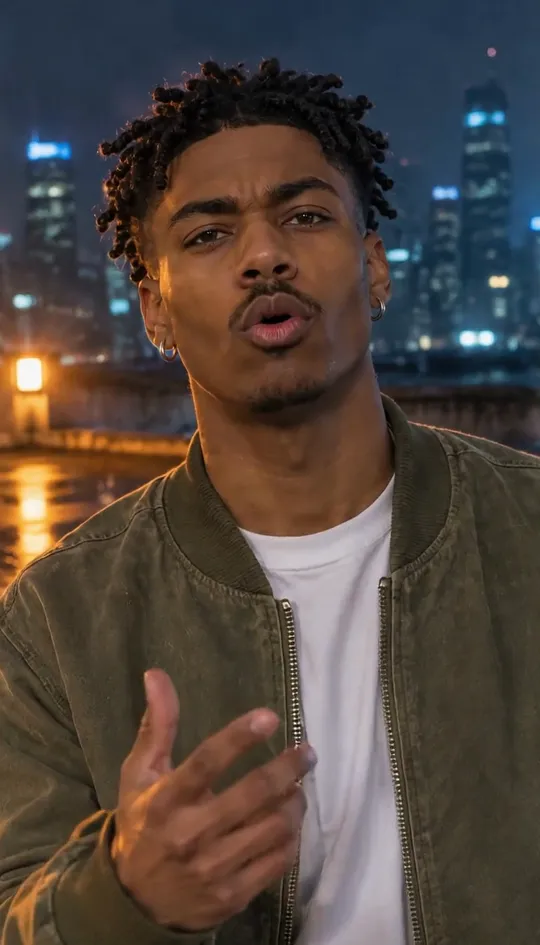
He sings the first chorus to camera.
Click any shot on the timeline. Every frame here is the real storyboard frame of that shot.
All 19 shots as text+
01 · 0:00–0:10 · IntroSings: “Night shift badge on, grease on my sleeve”. Close-up: Dez leans on a pallet rack in the warehouse, work badge on his jacket. He sings straight to camera under the warehouse lights.
02 · 0:10–0:17 · VerseSings: “Bus came late, had to catch it by the teeth / Notebook in my coat, pages bent at the edge / I wrote on breaks where the yellow light bled”. Medium shot: sitting on a low pallet between the racks. He sings the first verse, half turned to the lens.
03 · 0:17–0:22 · VerseMacro: his hand writing in a bent notebook on the break-room table. The pen moves in short bursts between lines.
04 · 0:22–0:25 · VerseRain on a fogged bus window, city lights smeared amber and blue. Droplets tremble and run as the bus moves.
05 · 0:25–0:32 · VerseWide: an empty night bus heading down a wet street. The bus rolls through a slow bend.
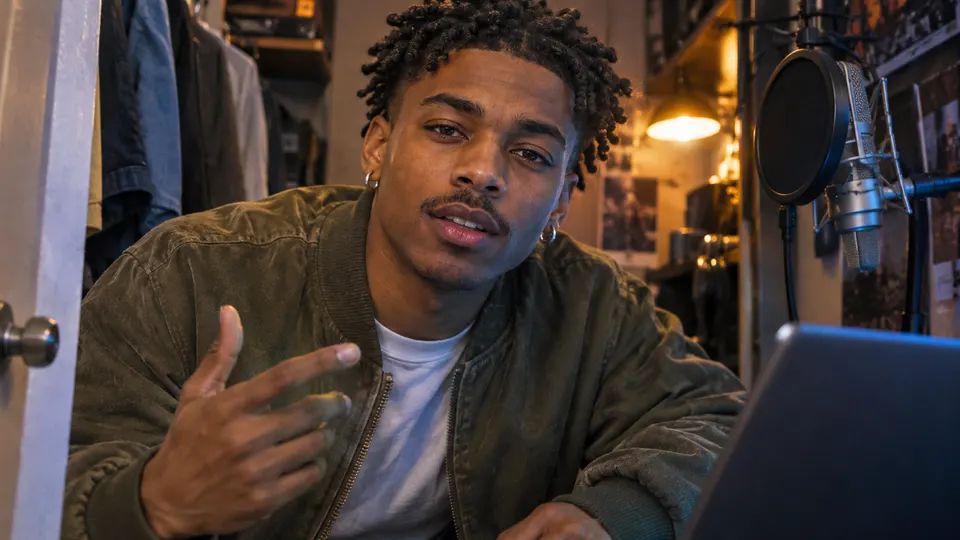
06 · 0:32–0:39 · Pre-chorusMedium shot: Dez at a laptop in a closet home studio. His thumb hovers over the upload button.
07 · 0:39–0:46 · ChorusSings: “Press upload / Let the city hear / Press upload / I been right here / All these nights / All these miles”. Close-up: in the closet studio, one hand near his chest. He sings the first chorus to camera.
08 · 0:46–0:55 · ChorusMacro: the notebook beside a small stack of coins. The top coin rocks once and settles.
09 · 0:55–1:02 · ChorusSings: “Seen the train pull off when I hit the stairs / Seen my best line vanish in the cold air”. Medium shot: Dez in a seat by the bus window. He sings the second verse as reflections slide past.
10 · 1:02–1:11 · VerseWide: wet station stairs as the bus pulls away. Tail lights stretch across the wet street.
11 · 1:11–1:19 · VerseMacro: turning a notebook page beside a mic case and folded bills. The page settles flat beside the coins.
12 · 1:19–1:24 · Pre-chorusSings: “Back pocket hope / Front pocket rent / Told myself wait / Then I spent / So close, so long”. Close-up: back in the closet studio. He sings the second pre-chorus to camera.
13 · 1:24–1:32 · Pre-chorusMacro: the upload button on the laptop screen. The button glows as the count runs out.
14 · 1:32–1:34 · ChorusClose-up: Dez looks up from the laptop. His jaw sets as he lifts his eyes to camera.
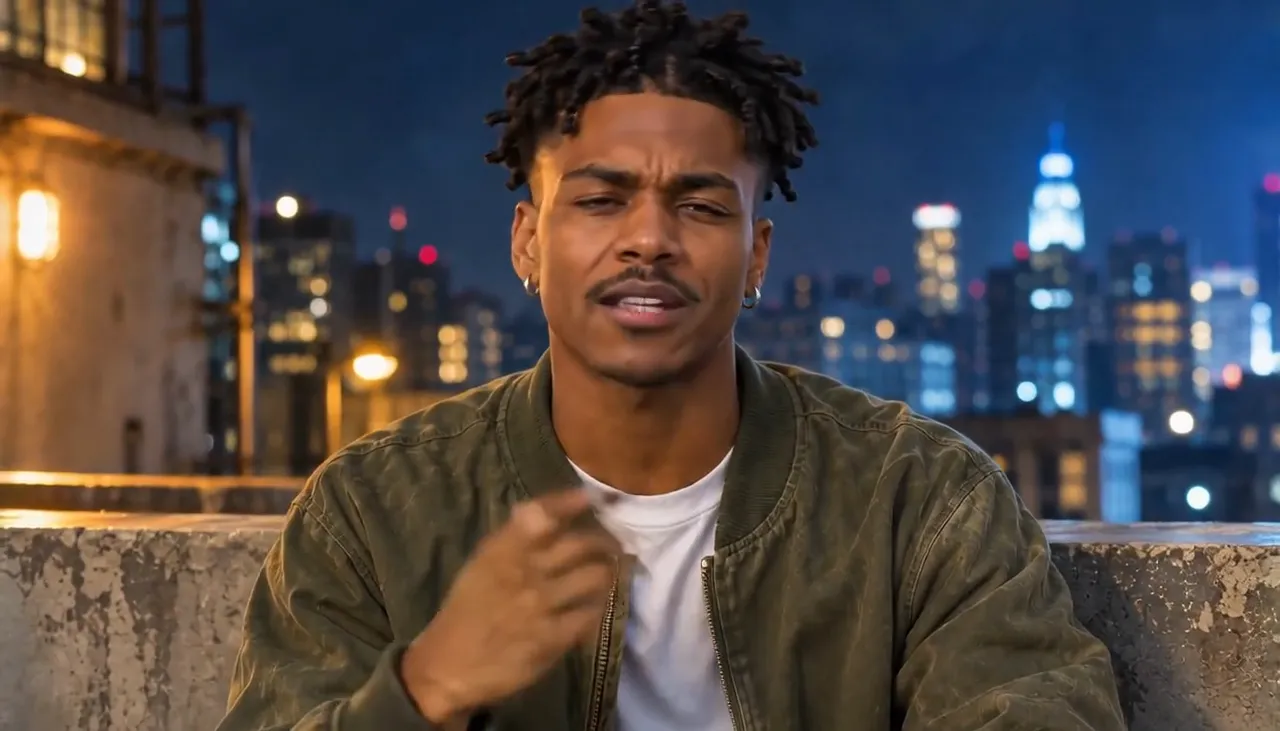
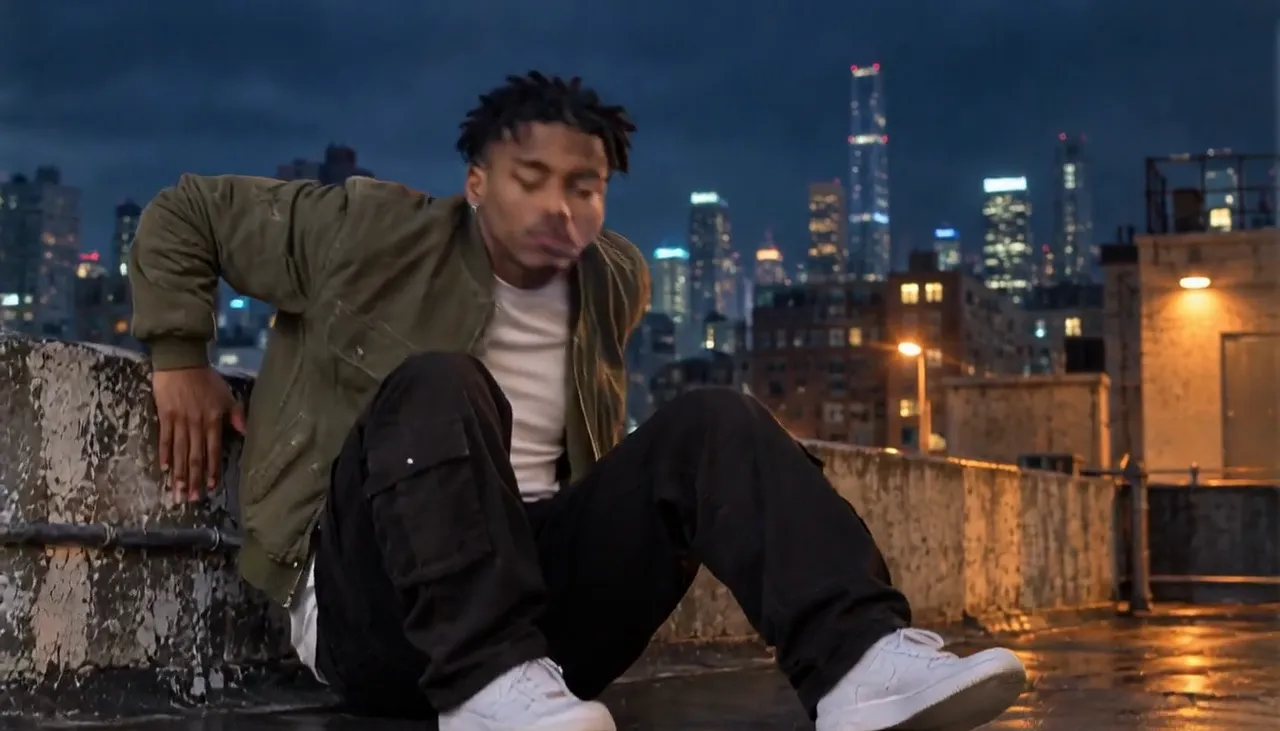
15 · 1:34–1:44 · ChorusSings: “All these nights / All these miles / Press upload / And I’m finally loud / Mama, I made it through the long way / Paper cut hands and a bent-up case”. Medium shot: sitting against the rooftop wall over the city. He sings the end of the chorus into the bridge.
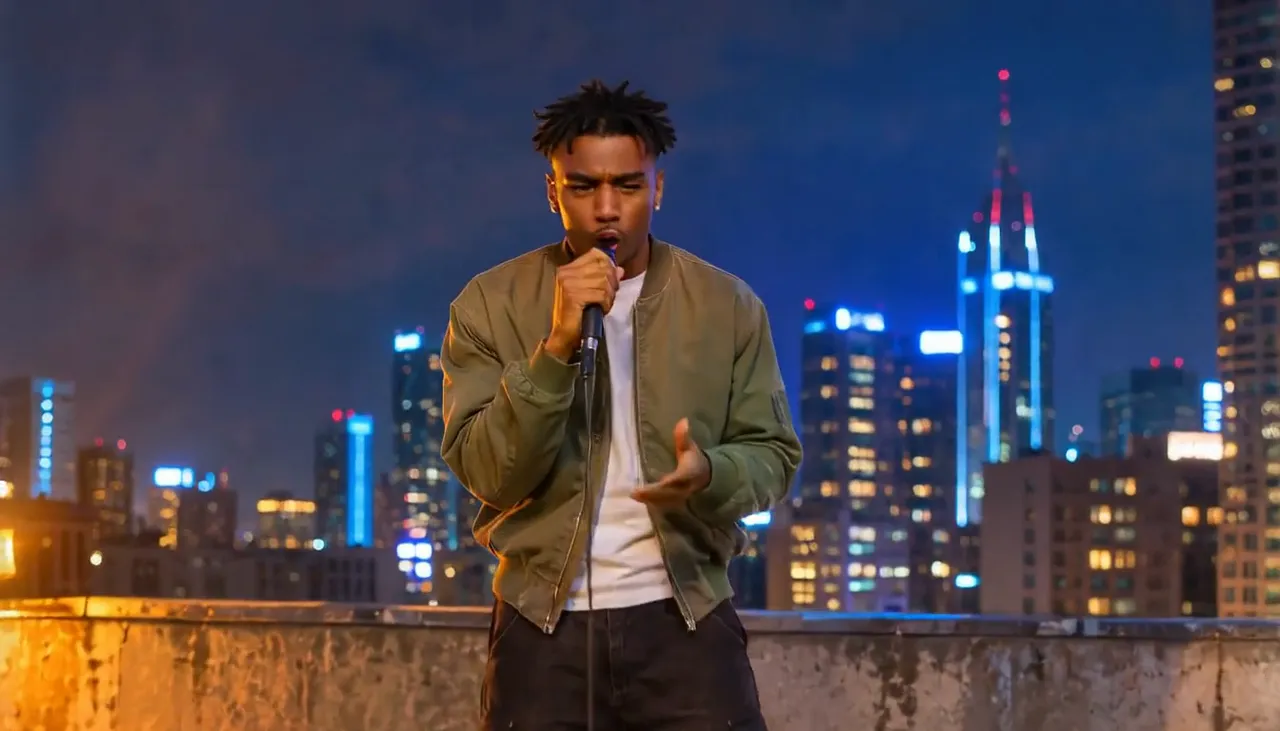
16 · 1:44–1:50 · BridgeSings: “If they never knew me, they know me now / I kept it alive when the sleep ran out”. Medium shot: on the rooftop with a handheld mic. He sings the bridge, the mic held below his mouth.
17 · 1:50–1:56 · ChorusMacro: the upload button brightens on the screen. City lights reflect across the glass.
18 · 1:56–2:06 · ChorusSings: “All these nights / All these miles / Press upload / And I’m finally loud”. Full body: standing at the rooftop edge with the mic. He sings the last chorus over the skyline.
19 · 2:06–2:11 · OutroClose-up: his work badge catches the rooftop light. He looks down at it and lets his shoulders ease.
0:00–0:10
It sings when the song does
The track opens on ad-libs, so the very first shot is already lip-sync: Dez in the warehouse, reaching “Night shift badge on” at 0:09.
0:17 · 1:02 · 1:11
The words turn into pictures
Halfway through “I wrote on breaks”, the shot cuts to his hand writing in a notebook. A line after “when I hit the stairs”, the bus pulls away from the station stairs. Right after “I paid for my mic in a stack of small bills”, a mic case sits by folded bills.
0:32–0:39
The count-in becomes a gesture
On “One thumb, one click, one, two, three”, his thumb hovers over the upload button.
0:39 · 1:28 · 1:51
Every chorus lands on “Press upload”
The first chorus starts with him singing it in the studio. The upload button glows through the count into the second, and the last chorus cuts straight to it brightening.
1:34–2:11
The setting moves with the song
Warehouse, bus, closet studio, then the rooftop for the bridge and the last chorus. It ends where it began: his work badge, now in the rooftop light.
Before you upload: what your song needs
Six things to check. Most finished songs already pass.
The file
MP3, M4A, WAV, up to 30 MB. An MP4 is turned into MP3 in your browser first (up to 512 MB). Links can’t be pasted: upload the file.
The length
5 seconds to 6 minutes per video. A longer song still loads: pick the part you want.
The part
The whole song, a 15, 30 or 60-second part, or any range you drag. You pay only for the seconds you use.
The vocals
Lip-sync needs a lead vocal. For an instrumental, choose Perform: a story without lip-sync, still cut to the music.
The lyrics
Optional. Songs made here usually come with timed words; for an upload, the lyrics are written down the first time you turn captions on.
The rights
You need the right to use the song, its lyrics and recording. Made it with an AI music app? Check that app’s terms.
Clear, aloneToo smallBlurryFace hidden
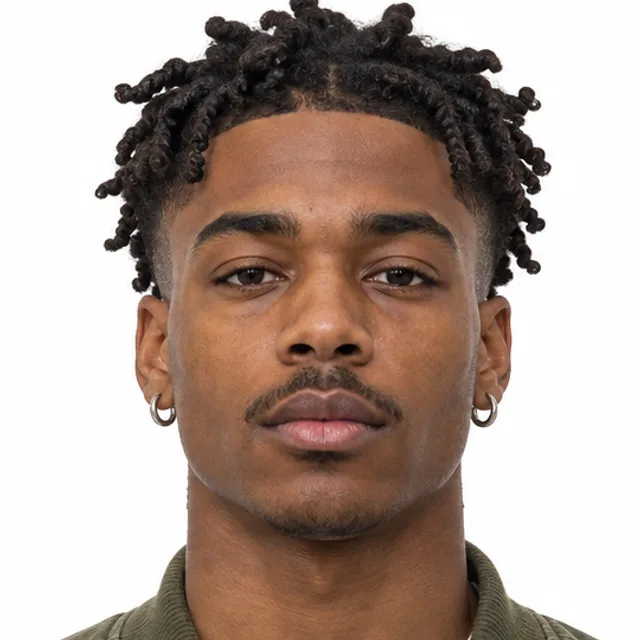
After you upload, MusicMV checks the photo and says what to change. Shown: Dez, the lead in every sample on this page, a Character made in MusicMV from a text description. The problems are simulated.
Put your face on your song
One clear photo becomes the lead who sings your song in every singing shot. Save it as a Character to use the same look on your next release.
A sharp photo with the face visible, one person in the frame
Too small, blurry, from behind or a group photo? You get a notice with what to do
Add a supporting character: they appear in the story but don’t sing
Use only photos you have the right to use, with the consent of the person in them
Sing it, or act it out
Two ways to perform the same song. Both cost the same: 1 credit per second at 768p.
Sing & Perform
Your lead sings the lines
Lip-sync shots on the lines that are sung, story scenes everywhere else.
Best for songs with a clear lead vocal
Only the main character sings for now
Perform
A story without lip-sync
The song guides the scenes and the cut still follows the beat, but nobody mouths the words.
Best for instrumentals and moody tracks
Good when you’d rather not appear singing
The same 30 seconds of “Press Upload” (1:41–2:11), both ways. Left: that part of the whole-song video. Right: the same part made with Perform.
One song, a video for every place you post it
Pick the shape before you start: 16:9 for YouTube, 9:16 for Shorts, Reels and TikTok, or 1:1, 4:3 or 3:4. Every shot is framed for that screen, not cropped later. Want both? Make a second video; a chorus-only one costs only its seconds.
16:9 · YouTube
9:16 · Shorts
One song, two videos: the whole of “Press Upload” in 16:9, and its last 30 seconds (1:41–2:11) in 9:16 for 30 credits. Both 768p MP4.
What you add, what you get, what it costs
You add
A song (MP3, M4A, WAV, 5 s to 6 min, up to 30 MB) and one photo of the lead. A text idea is optional.
You get
An MP4 music video at 768p · 1080p in 9:16, 16:9, 1:1, 4:3, 3:4, with optional lyric captions.
Cost
1 credit per second at 768p, 2 at 1080p. A 3-minute song at 768p is 180 credits. Packs start at $9.90 for 240 credits, no subscription.
Free to try
New accounts get 20 credits: a 15-second video at 768p, with a small watermark, to watch in the browser.
Download
Buy any pack and every video you’ve made downloads without the watermark, free to use commercially if you have the rights to the song and photo.
Time
The storyboard takes about 3–5 minutes; a full-song video usually about 10 minutes, longer for longer songs.
How to turn a song into a music video
1
Upload your song and a photo
Use the whole song or a part, choose Sing & Perform or Perform, and pick a format.
2
Check the storyboard
In Review & Edit, see a storyboard frame for every shot and redraw any you don’t like before the video is made. Auto skips this step.
3
Render and download
Each shot is turned into a clip and cut to your song. Watch it, redo any single shot, then download the MP4 (any credit pack unlocks downloads).
Is it right for your song?
A good fit
Independent artists releasing a single
Singers and rappers who want to appear in their video
People who make songs with AI music tools
Labels and managers with several releases
Not what it does
Changing or re-singing your voice: the song stays exactly as you uploaded it
Putting your face on an existing music video
Editing footage you already filmed
Pasting a song link: upload the file
One video longer than 6 minutes
Song to video FAQ
How do I make a music video with my own song?
Upload the song as MP3, M4A or WAV (up to 30 MB), add one photo of the singer, and choose Sing & Perform or Perform. MusicMV writes a storyboard and renders the video. Your track is used exactly as you uploaded it: nothing is remixed or re-sung.
Can I use a song I made with an AI music generator?
Yes. Export it as MP3, M4A or WAV and upload it, or keep it in My songs. You need the right to use the song, so check the terms of the app you made it with. Songs you generate on MusicMV can be used in your videos.
Can I make a music video with my face?
Yes. Upload one clear, sharp photo with your face visible and nobody else in the frame, and you become the lead who sings in the video. If the photo is too small, blurry, from behind or a group shot, MusicMV tells you after upload. Only use photos you have the right to use.
Does the singer lip-sync to my song?
In Sing & Perform, yes: the main character lip-syncs the lines where they are sung, and the rest are story scenes. For an instrumental, or if you’d rather nobody sings on screen, choose Perform: same price, no lip-sync, still cut to the music.
Does the video follow my lyrics, or just the beat?
Both. Before it writes the storyboard, the AI director reads the beat, the sections and the lyrics, so shots change on the beat and the scenes pick up what the words are about. In the sample above, “I wrote on breaks” cuts to a notebook, and the last two choruses land on the upload button.
Can I put the lyrics on screen?
Yes, as captions in karaoke, clean or bold style. They’re off by default and free to switch on. Songs you generate here usually come with every word timed; for a song you upload, the lyrics are written down the first time you turn captions on. Instrumentals have no captions.
How long can my song be? Can I use just the chorus?
Each video is 5 seconds to 6 minutes. Use the whole song, pick a 15, 30 or 60-second part, or drag the handles to choose any part, and you pay only for those seconds. A longer song still loads, and an MP4 is turned into MP3 in your browser (up to 512 MB).
Is it free?
You can try it free: new accounts get 20 credits, enough for a 15-second video at 768p, watermarked and watchable in the browser. Downloads need any credit pack (from $9.90), which also removes the watermark. There’s no subscription.